
Step 1: Multi Menus > Dungeon Game Mode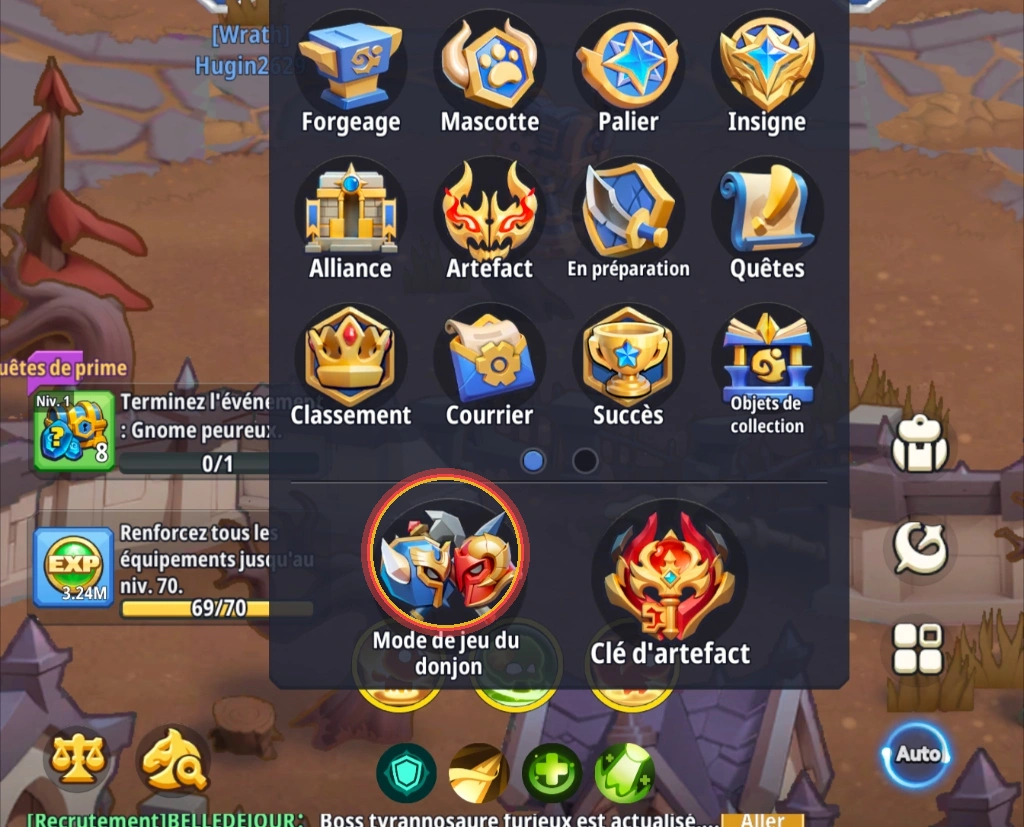
Step 2: Dungeon Encyclopedia (bottom right)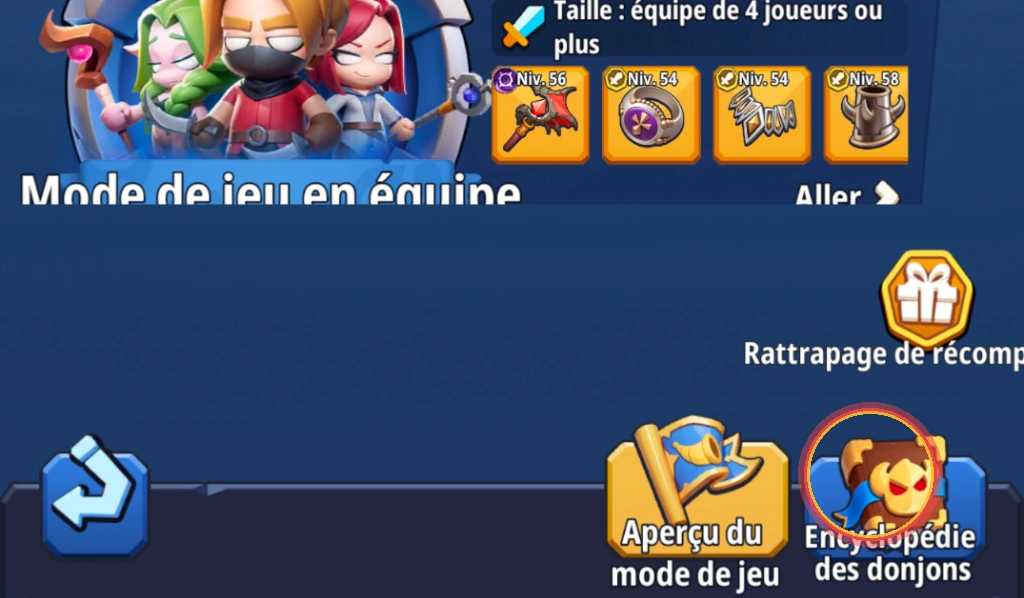
Step 3: Secret gift box (top right)!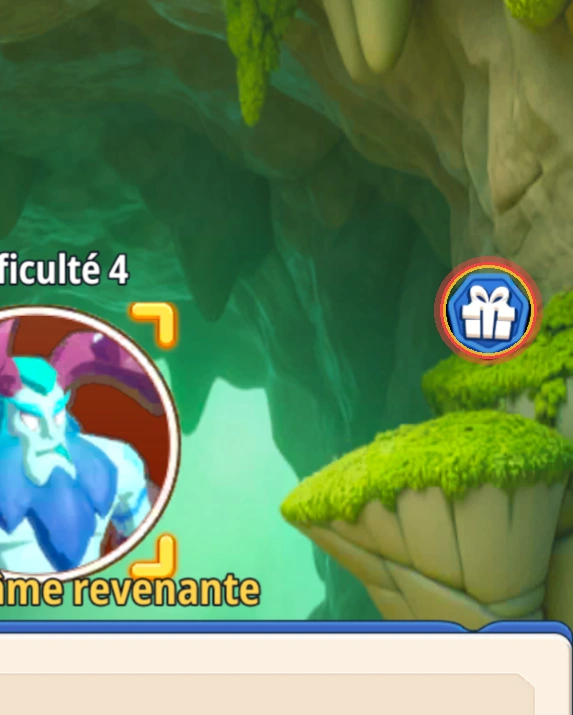
Step 1: Open Expanded Menu > Dungeon Game Mode
From your main character screen, tap the extended menu icon ('Multi Menus').
In the popup grid (Forging, Mascot, Tier, Artifact...), look at the bottom row for the **'Dungeon Game Mode'** icon featuring red and blue gladiator helms, and click it.
Step 2: Click on 'Dungeon Encyclopedia' in the bottom right corner
Once in the party matchmaking screen (*Team Game Mode*), do not queue immediately!
Inspect the bottom right corner of your screen: right next to the blue *Game Mode Preview* scroll, locate the button with a horned demon tome: **'Dungeon Encyclopedia'**. Click it.
Step 3: Claim the secret gift in the top right for every difficulty tier!
In this encyclopedia, navigate between bosses and abysses (such as *Revenant Abyss*) as well as difficulty tiers (Difficulty 1, 2, 3, 4...).
**The golden secret:** For every cleared dungeon and tier, a small blue hexagonal icon containing a **white gift box** appears in the upper right background!
Tap this icon to immediately claim first-clear rewards (Resonance Stones, forge materials, summon tickets, and Gold). Check every dungeon regularly so no free loot is missed!
💡 Community Tip: Discovered another hidden secret or tactic? Share it with other players in our Discussion Forum!